🩺
Device Health
Check a single child's device health. Enter their exact Child ID below — there's no list to browse, so only someone who already has the ID can view it.
🔒
For privacy, this lookup is exact-match only. There's no dropdown or
auto-complete, and no way to list or search children — you need the precise
Child ID to see a child's device health.
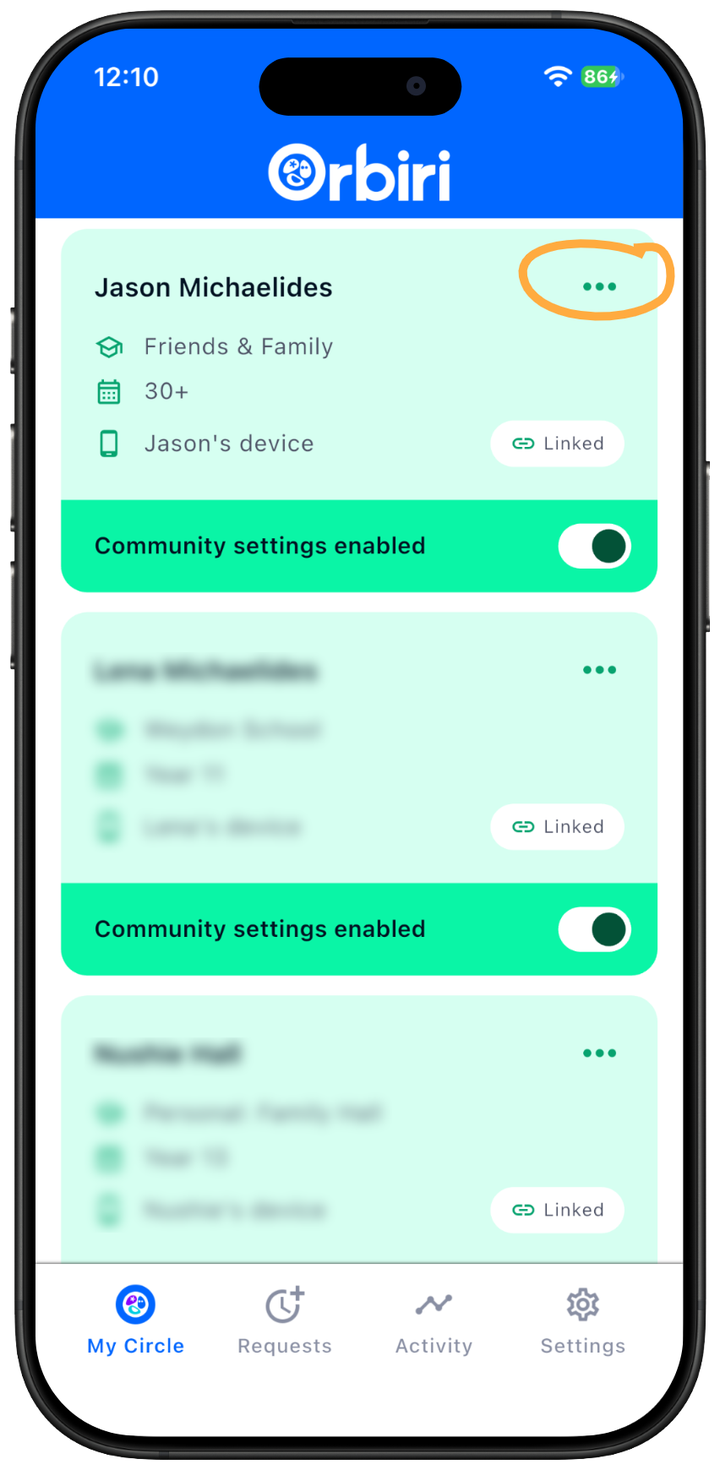
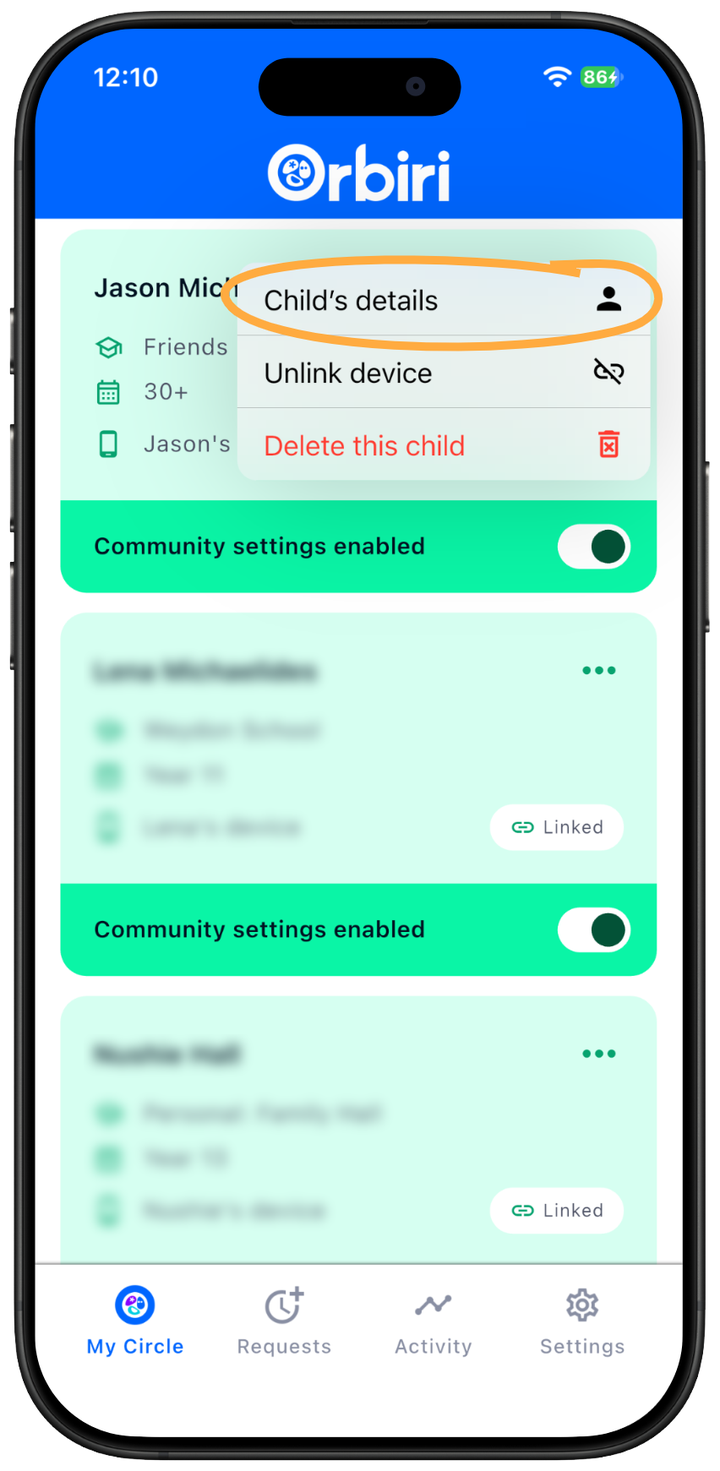
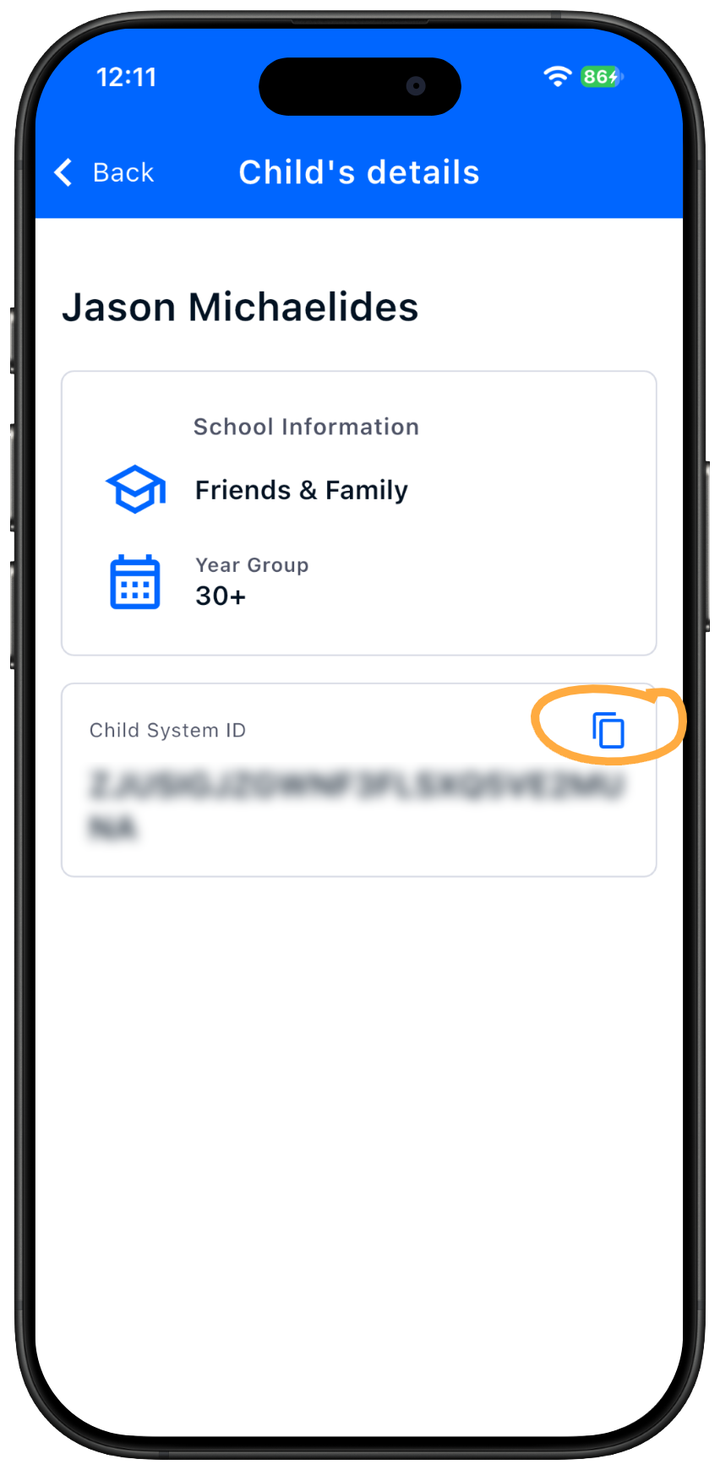
Get your child's CHILD ID from the Orbiri Parent app, as shown in the image below.
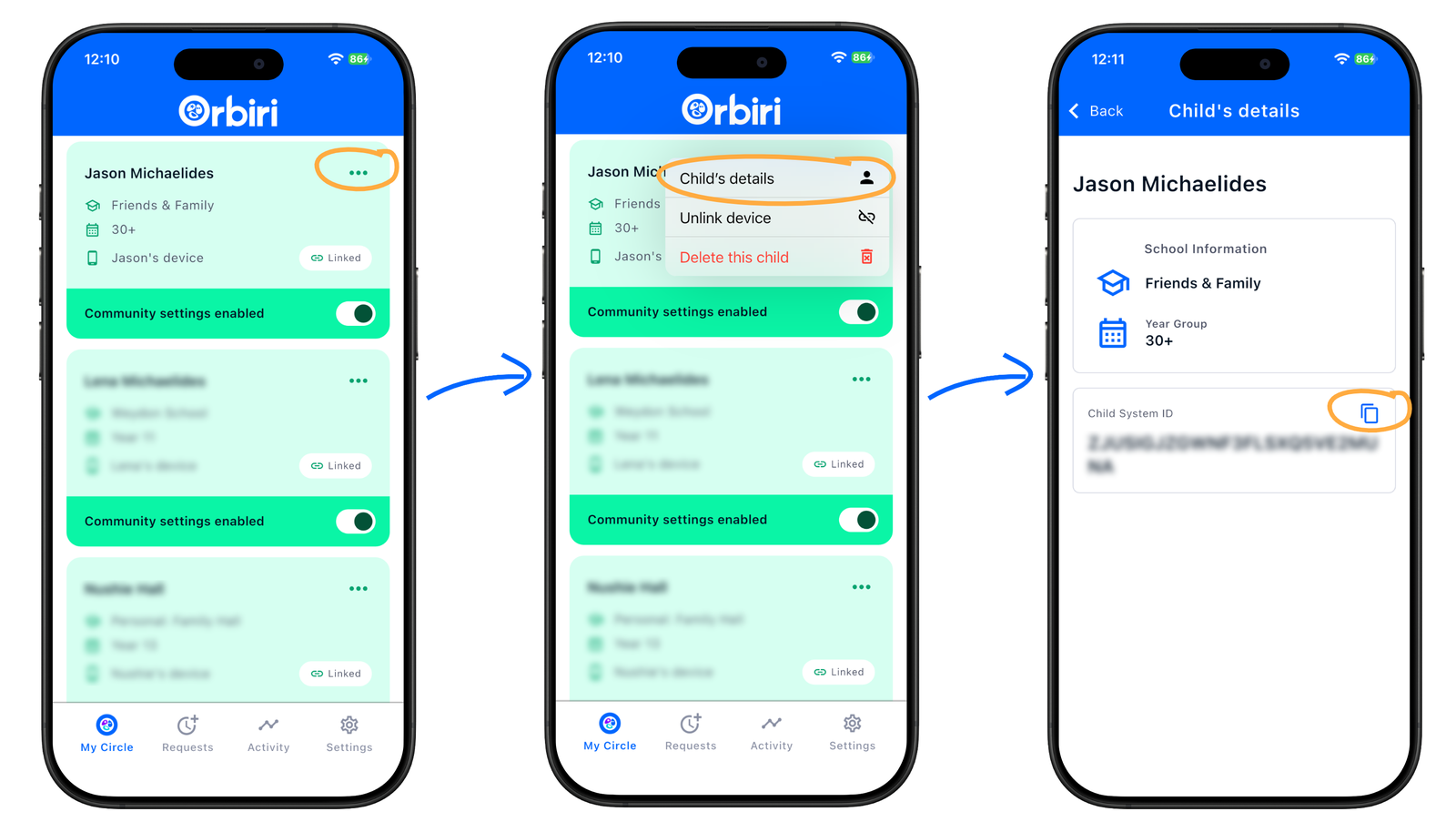
Click or tap the image to step through the three screens at full size.